
Cabinet Vision software is a central tool in the carpentry and woodworking industry, but in the past Hebrew-speaking users struggled to understand the interface because of an old, outdated translation. The new Hebrew translation package changes that, bringing a significant improvement in language, clarity, and ease of use. In this post we'll review the problems that existed, the changes the new package brings, and how it affects carpenters' day-to-day work.
The Problem with Cabinet Vision's Old Translation
The previous Hebrew translation was a direct, literal translation that didn't account for the professional, practical language carpenters actually use on the shop floor. The result was an interface full of outdated or overly formal technical terms that didn't reflect users' everyday language.
For example, terms like "korkhov" (cornice) and "triz" (wedge) appeared in menus and descriptions, but modern carpenters don't use them — or don't use them at all. These terms created confusion and made it hard for new users to quickly understand the software's various functions.
The gap between the software's language and the language of the shop floor slowed down the process of learning and operating Cabinet Vision, and caused errors in planning and production. Carpenters need to recognize terms quickly to move smoothly from the design stage to production, and when the language isn't clear, the process gets delayed.
What the New Translation Package Brings
The new translation package was developed out of firsthand experience in the world of CNC carpentry and the software, and in collaboration with carpenters and industry professionals, with the goal of matching the interface's language to the spoken, practical language of the shop floor. The main changes in the package include:
- Up-to-date terminology that matches the language carpenters use day to day.
- Removal of confusing terms like "korkhov" (cornice) and "panim galui" (open face) — replaced with "karniz" (cornice) and "arguz patuach" (open box).
- Professional shop-floor slang combined with clear descriptions that make understanding and applying the terms easier.
- A simple, convenient installation that updates the translation files for both Cabinet Vision and S2M Center (the processing center) in just a few clicks.
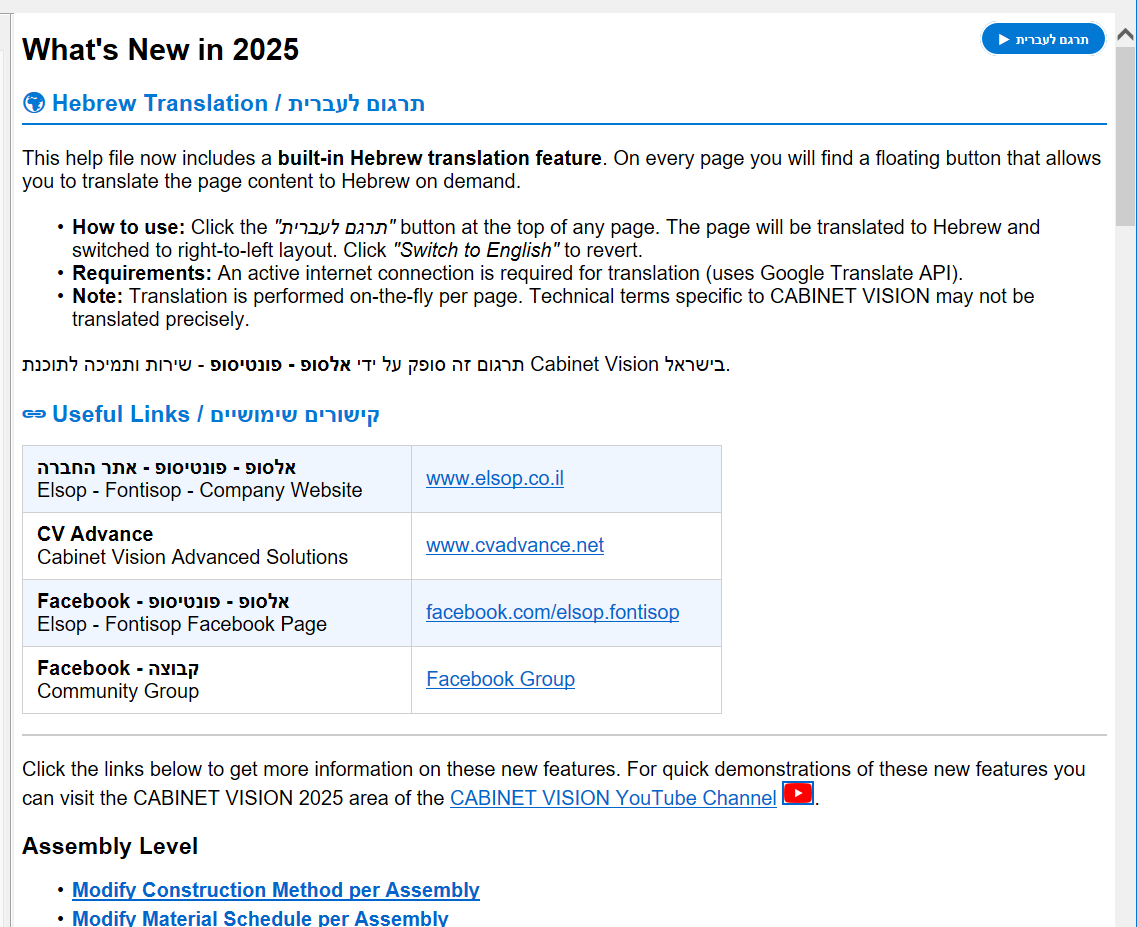
- Help now comes with a built-in translate button on every page. Clicking the button translates the page into Hebrew in real time using Google Translate, backed by a dictionary tailored to carpentry and CNC terms (for example: Assembly = argazot, Molding = karniz, Material Schedule = mifrat chomarim). You can switch back to English at any moment with another click.
The new interface language makes the software friendlier, clearer, and easier to learn. Carpenters can focus on the work itself instead of getting stuck on understanding the terminology.
How Installing the Update Works
Installing the new translation package is a quick, simple process. The installation updates the translation files for both Cabinet Vision and S2M Center, so the entire interface is shown in accurate, up-to-date Hebrew. The process includes:
- Downloading the update file from the CVAdvance website.
- Closing Cabinet Vision before running the installer.
- Running the installer on the computer where Cabinet Vision is installed.
- Clicking the update button, which replaces the old translation files with the new ones.
The installer makes sure the change takes effect immediately, with no need for complex configuration.
Help (HELP) with Translation:
Examples of Terminology Changes
Here are a few examples of terms that changed in the new package:


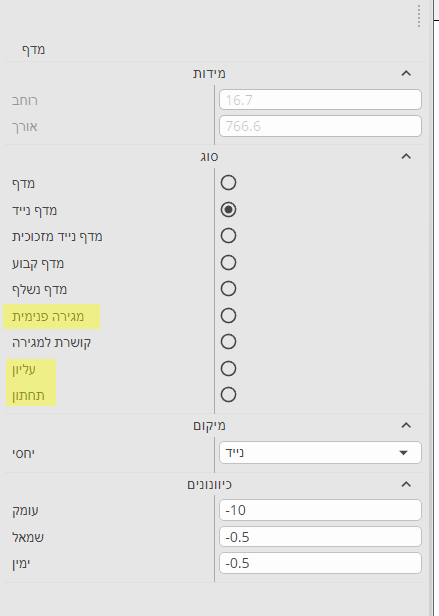
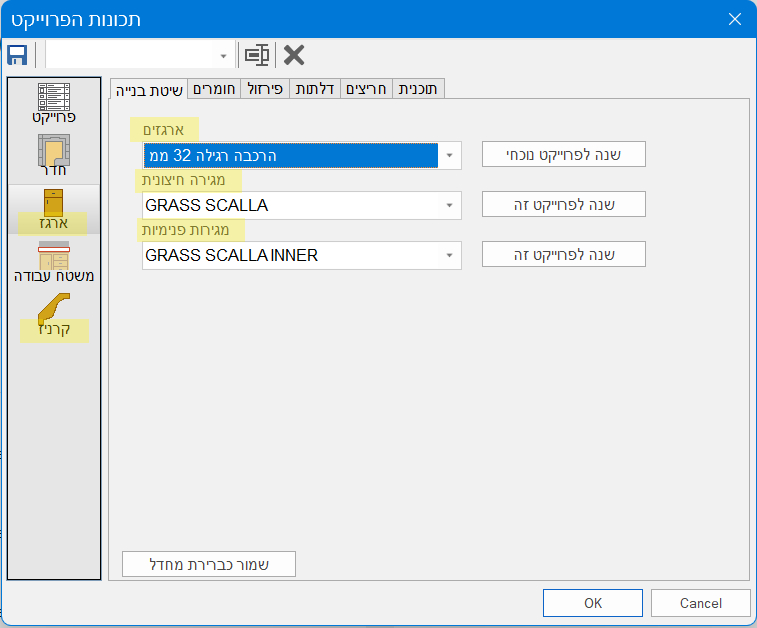
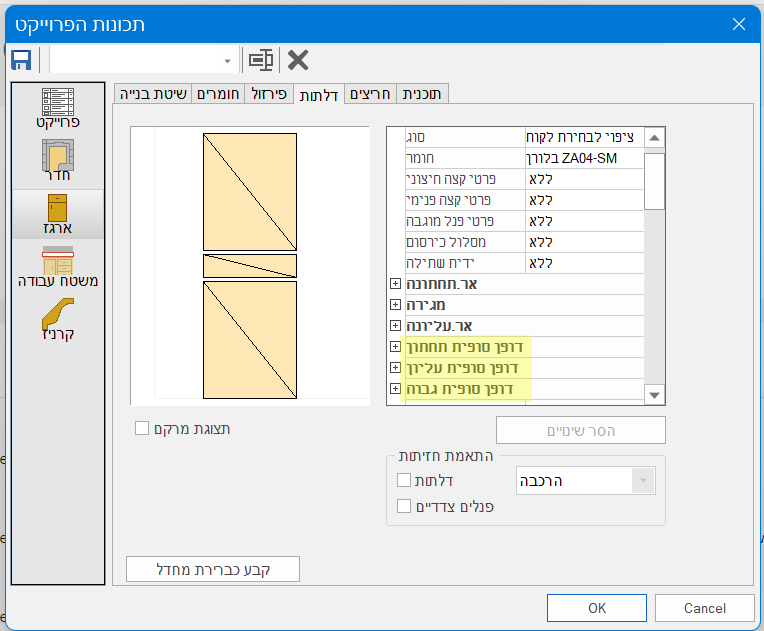
Many other menus also received updated translations...
The terminology change lets users quickly understand the software's various functions and apply them with ease.
Summary
The new Hebrew translation package for Cabinet Vision changes the software experience for Hebrew-speaking carpenters and designers. It brings clear, up-to-date, field-matched language that simplifies the work and reduces errors.
If you use Cabinet Vision, we recommend downloading and installing the new translation package to improve the efficiency and comfort of your work. Clear language is the key to faster, more accurate work.
Download
ZIP file: CV_S2M.zip (502 KB)
Installation
- After downloading, extract the contents of the ZIP file.
- Double-click to run the run_install.bat file found in the folder.